News
-
Shadows of Aethro Update — June 11th, 2026 Hello, gremlins, goblins, block gobblers, and people who definitely read patch notes before asking what changed. We have another Shadows of Aethro update, and it is full of tiny fixes, mysterious improvements, and at least one update that basically said, “Trust me bro, there is a lot in here.” Mod Updates CobbleBase CobbleBase has been updated! Each pasture owner now gets control over their own working radius and downward scan reach, within server-set l
-
I know I’ve been quieter than usual lately, so I wanted to pop in and give an actual update instead of just mysteriously vanishing into the void like some kind of overworked Minecraft NPC. The last little while has been a lot. I’ve had two deaths in the family, some medical stuff going on, and quite a bit happening offline, so I’ve had to step back a bit and handle real-life things first. That said, I promise I have not abandoned ship, been eaten by a creeper, or disappeared into an unmarked ca
-
Hey everyone, First off, we apologize for the delay in getting this update out. Life hit pretty hard over the last couple of weeks, and between my son’s birthday, my own birthday, and everything else happening at once, things got a little chaotic. That said, we are finally here with a major Shadows of Aethro modpack update, and this one includes a lot of fixes, improvements, balance changes, and new content. Major Mod Updates A large number of mods have been updated in this release, with several
-
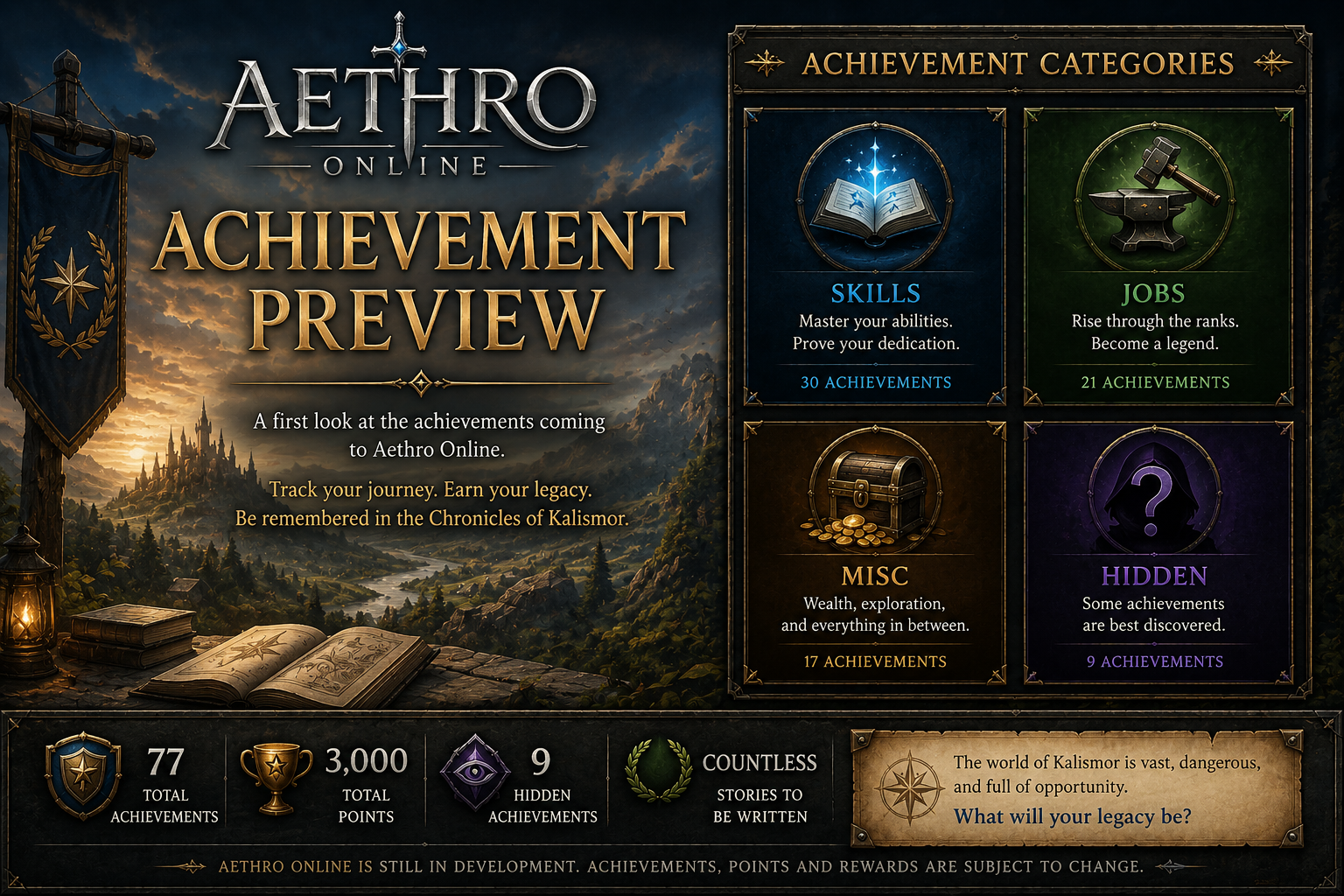
A new preview page for Aethro Online Achievements is now available! While Aethro Online is still in development and not yet launched, this page gives players an early look at one of the progression systems being planned for Kalismor. Achievements will help track character milestones, long-term goals, hidden discoveries, and special accomplishments once the game is ready for testing and release. There are currently 77 achievements planned, with 3,000 total points available across Skill, Job, Misc
-
New Mods Arrive in Shadows of Aethro Today! Adventurers, treasure hunters, mail goblins, dimension jumpers, and everyone who sees a mysterious item and immediately asks “but what does it do?” — today’s Shadows of Aethro update is bringing in several new mods to make exploration, loot hunting, player interaction, and general quality-of-life even better. This update adds Artifacts, Artifacts Merging, Eternal Starlight, Envelope, Jade, and Jade Addons. Artifacts Exploration is getting a lot more re
-
Nothing too wild this time around, adventurers — just a nice round of mod updates to keep Shadows of Aethro running smoother, cleaner, and slightly more dangerous in all the right places. This update focuses mostly on fixes, stability improvements, and a few quality-of-life tweaks for mods we already use. No brand-new mods are being added with this one, so your backpacks are safe from surprise chaos today. What’s Changing? Dungeons and Villages: Deeper and Darker The mobs from Deeper and Darke